What needs you, worst first
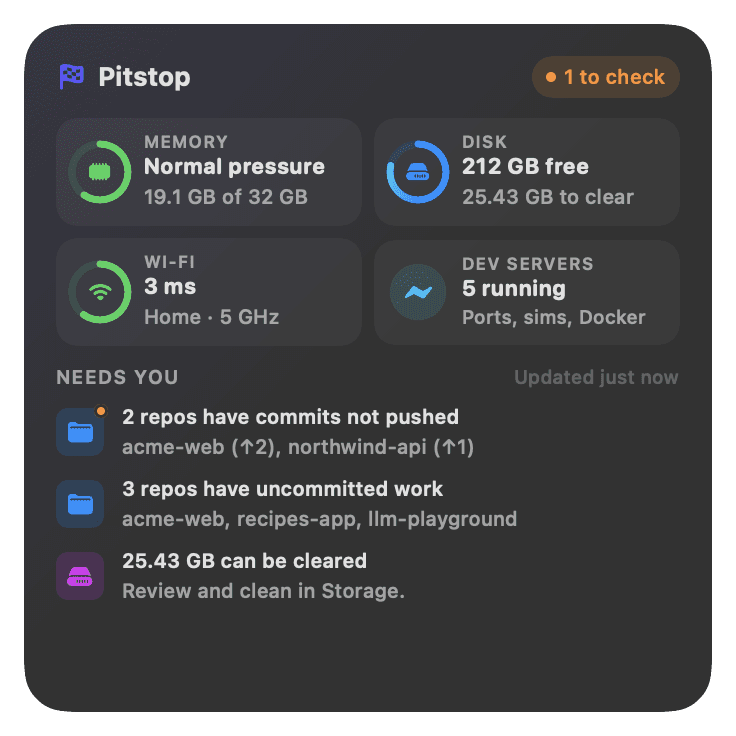
Red is urgent, orange is worth a look, grey is FYI. Beside the list: live memory, disk, Wi-Fi and the dev servers you left running.
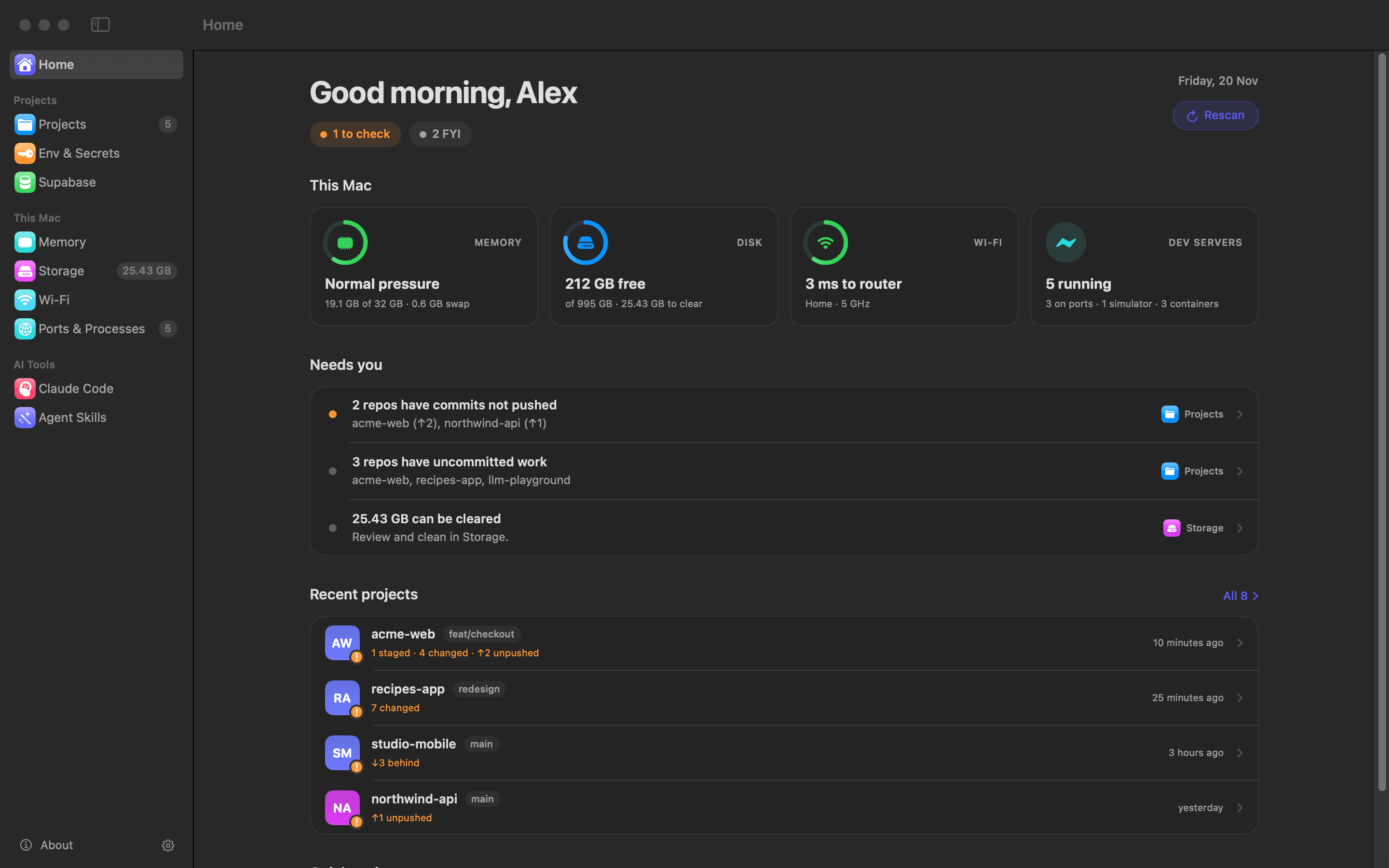
Pitstop checks memory, disk, Wi-Fi and every git repo in your home folder, lists what needs you worst first, and fixes most of it in a click or two.
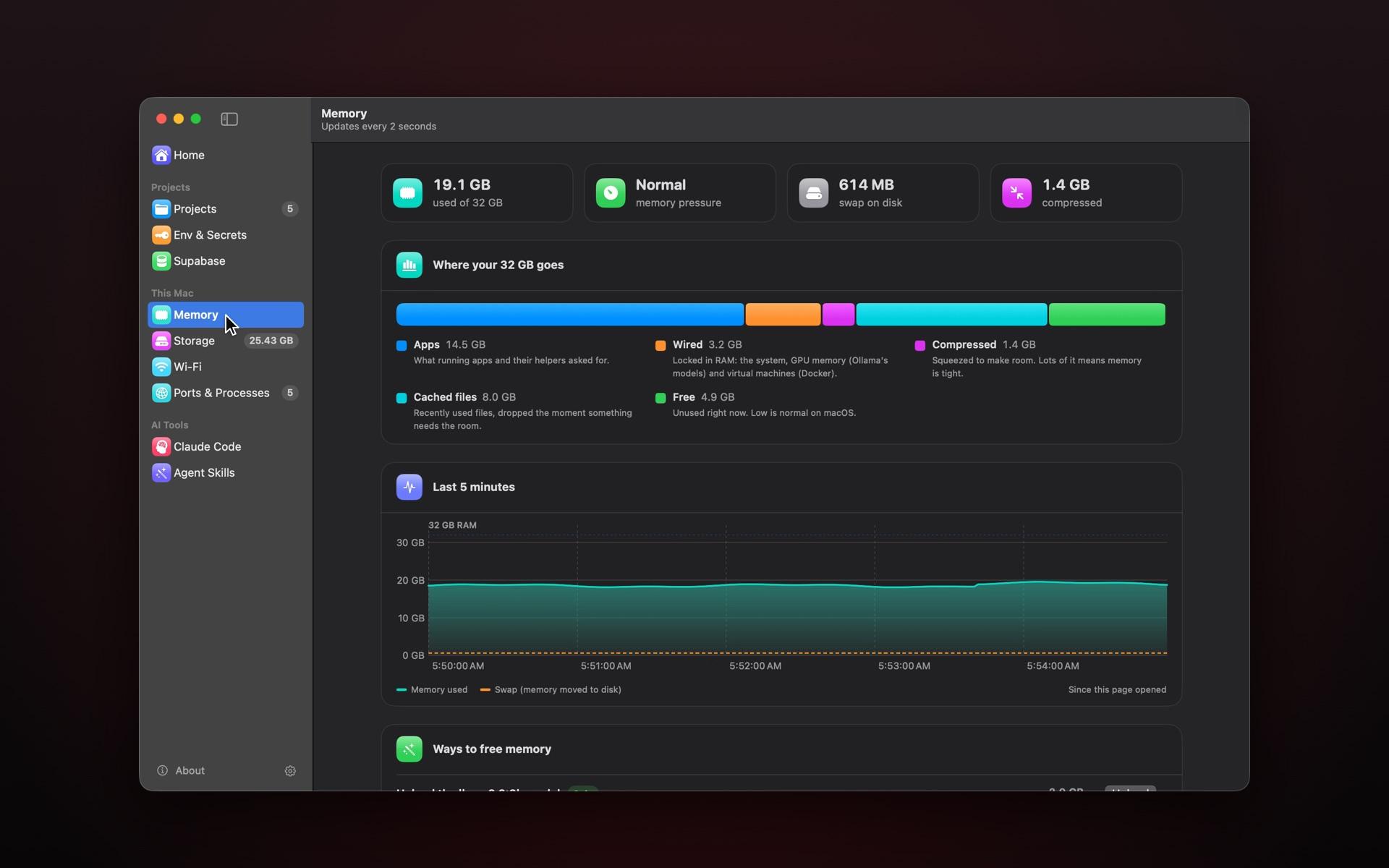
Ten pages in the sidebar, plus the menu bar and four desktop widgets.
Red is urgent, orange is worth a look, grey is FYI. Beside the list: live memory, disk, Wi-Fi and the dev servers you left running.
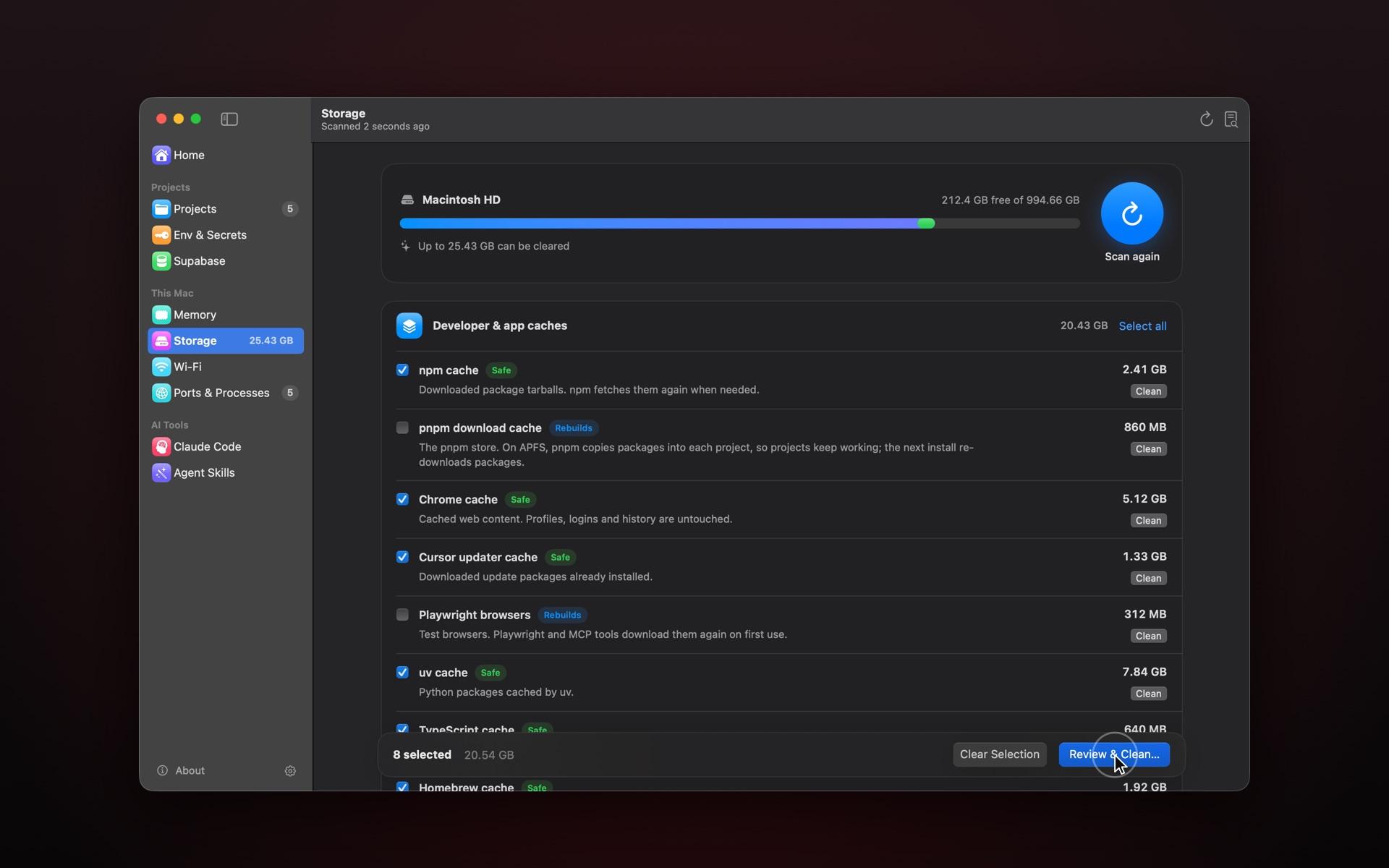
Pitstop measures 32 cleanups, from npm, pnpm and Xcode caches to old simulators and unused Docker images. Safe items come pre-selected, and nothing is deleted until you’ve reviewed the list.
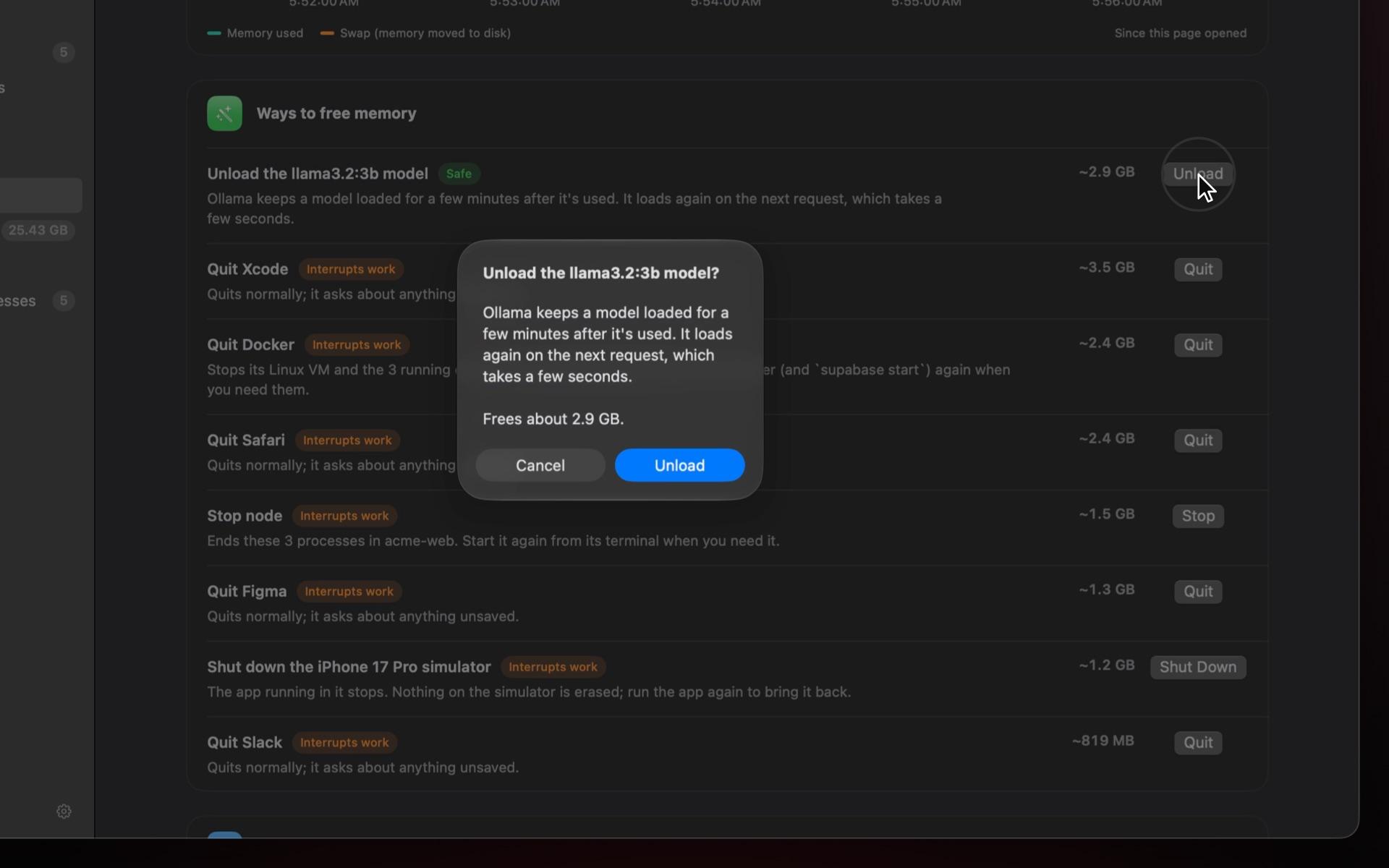
RAM is grouped the way you think of it: Docker’s VM under Docker, Chrome’s renderers under Chrome. Pitstop suggests one fix at a time, safest first, asks before it acts, and measures what came back.
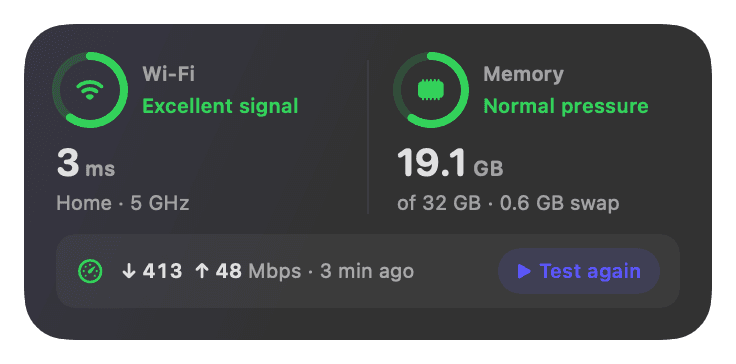
The speed test compares your result with what your Wi-Fi link can carry, so you know whether to move closer to the router or call your provider.
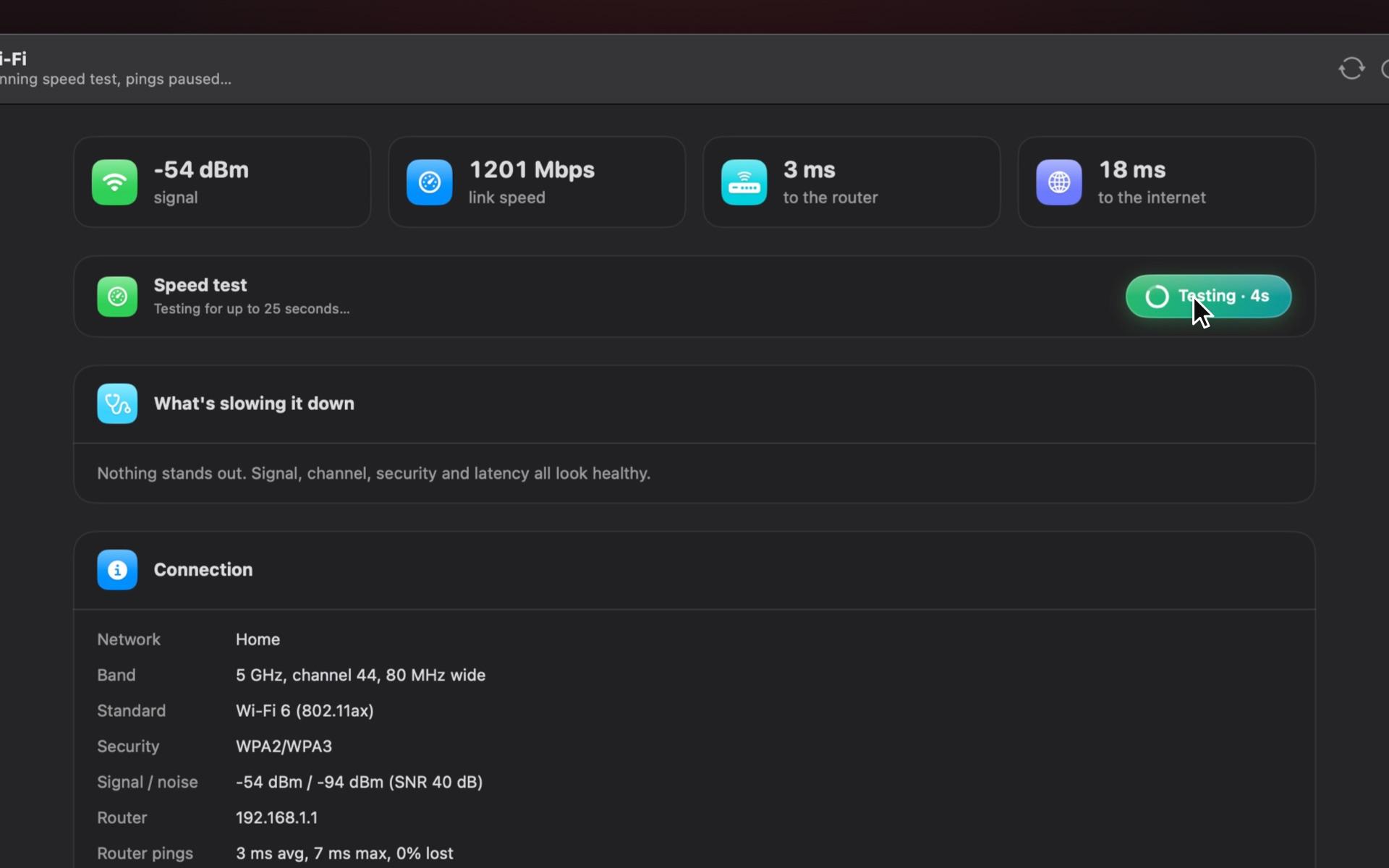
Signal, channel crowding, security and latency, each finding with what to do about it.
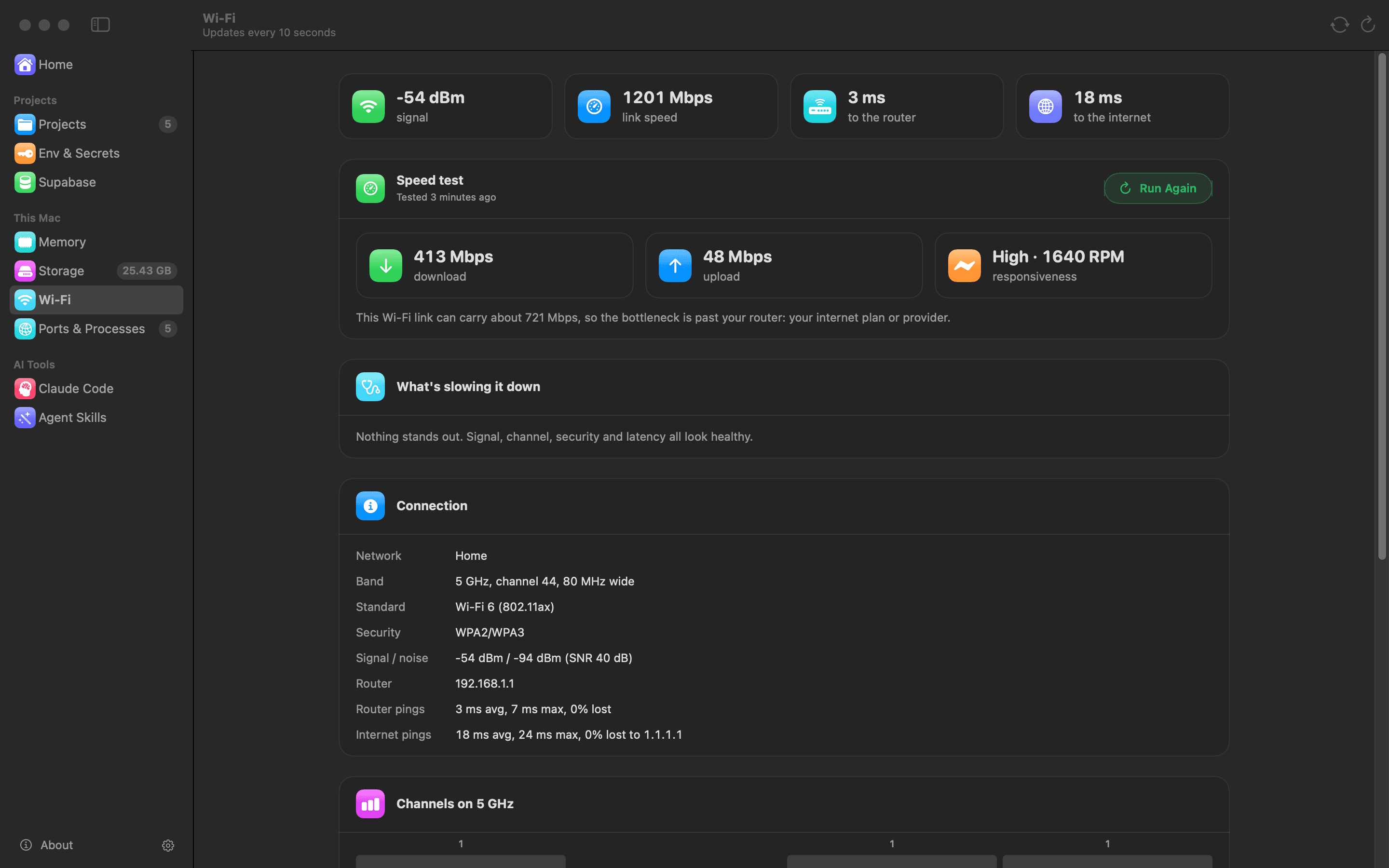
On supported routers, Pitstop moves you to a quieter channel, tightens security or restarts the router, then checks each fix once it’s back.
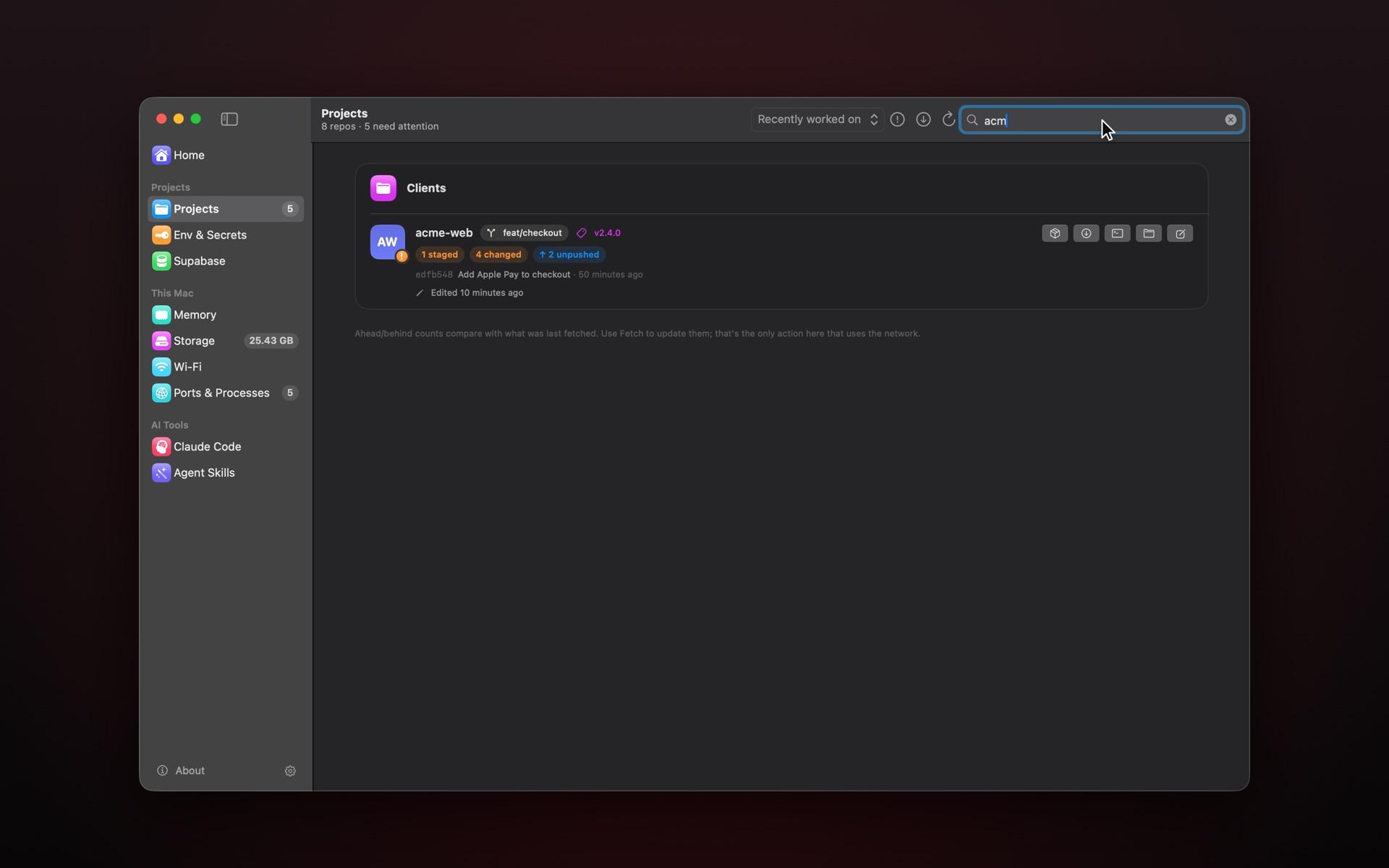
Branch, uncommitted work, unpushed commits and junk files for each one. Open it in Cursor or your terminal, fetch them all at once, or run pnpm install.
.env files that are committed or not ignored, keys missing from .env.example, and the same secret reused across projects. Values are never shown.
Every listening port with the project it belongs to, plus simulators, emulators and Docker containers. Stop any of them from the list.
:3000 acme-web next dev:5173 recipes-app vite:8081 studio-mobile expo startMemory, swap, disk IO and advisor warnings for each project, read with a token you limit to read-only.
Broken memory links, missing hook scripts, MCP servers whose command isn’t installed, and rules for skills you removed.
Browse your Claude Code skills by category. Remove one and its files, install record and permission rules go together, with a backup in the Trash.
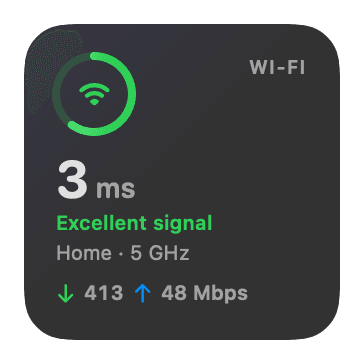
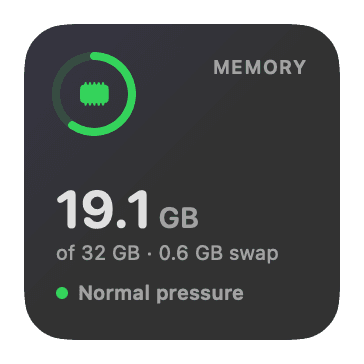
Widgets for Wi-Fi, memory or both, and a large Mac Health widget with the top three things that need you. Tap one to open that page.
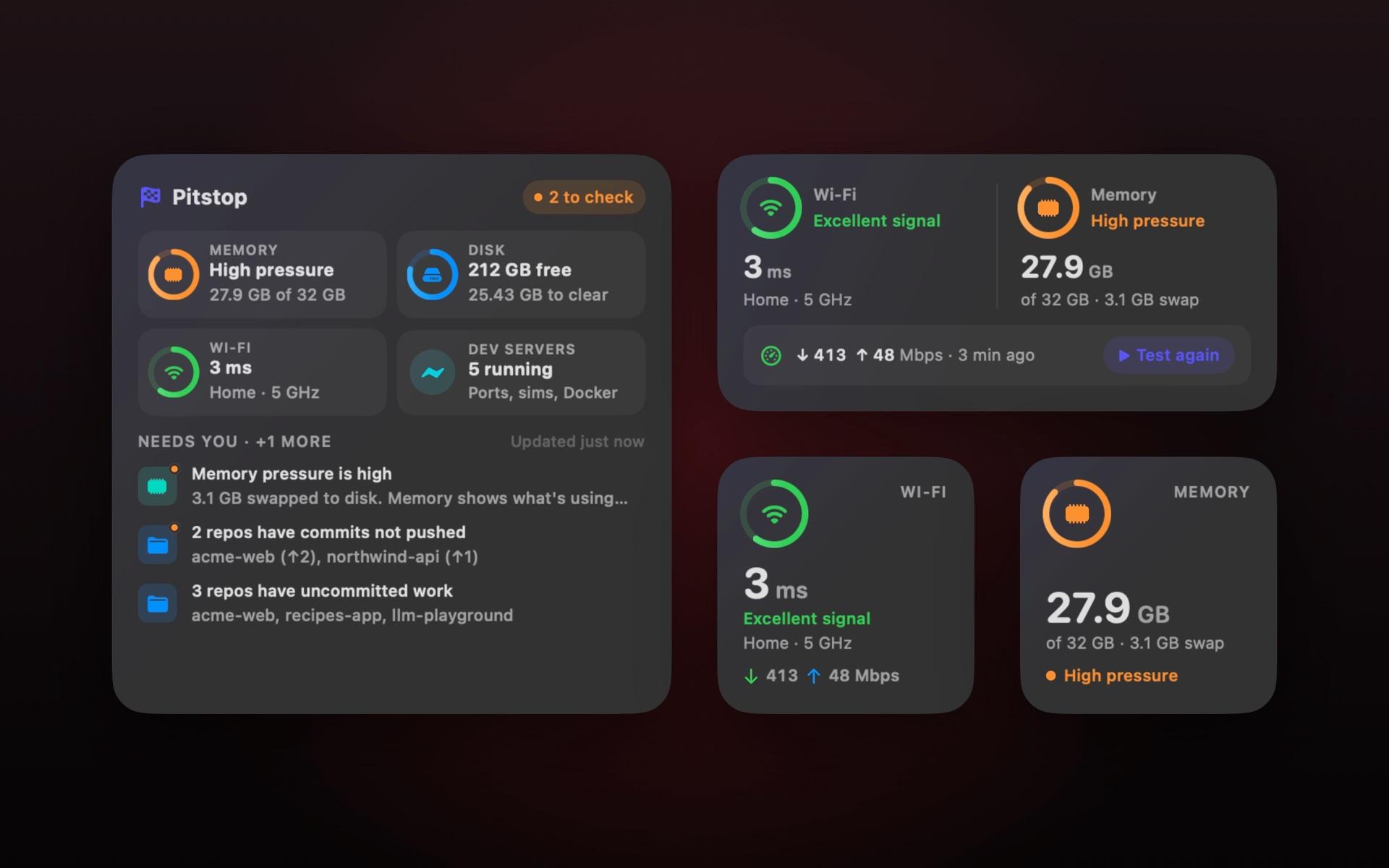
Wi-Fi and Memory (small), Wi-Fi & Memory (medium), and Mac Health (large).
Click it for a quick clean of safe items and a list of what’s running. Once a week Pitstop scans and tells you when there’s more than 1 GB to clear.
Pitstop started as a tool for me. Every day I’d drop into the terminal to find out which agent skills I had, why my Supabase project felt slow, what was filling my Mac’s memory, or what was wrong with my Wi‑Fi and how to fix it. So I built one app that answers all of it from one place, and fixes most of it too. It saves me that time every day, and now I’m sharing it with you.
If your Mac runs dev servers, simulators, Docker and an AI agent at once, Pitstop was made for it.
See which project owns port 3000, clear npm and pnpm caches, and catch a .env file before it reaches git.
Shut down simulators, stop Android emulators, and clear DerivedData, old iOS runtimes and Gradle caches.
Check your Claude Code setup, tidy your skills, and unload an Ollama model when you need the memory back.
Repos are grouped by folder, so clients stay apart. Spot unpushed work and secrets reused across projects.
Watch memory, swap and disk IO on every project, and read advisor warnings with their fix links.
Find what’s using memory and disk, and learn whether slow internet is your Wi-Fi or your provider.
Install it, and it stays yours. If Pitstop becomes paid later, everyone who installed it during early access keeps every feature.
Free
Requires a Mac with Apple silicon and macOS 15 or later.
Permissions, what gets deleted, the network, and buying.
Yes, while Pitstop is in early access. If it becomes paid later, everyone who installed it during early access keeps every feature.
None are required to start. Full Disk Access is optional: Storage needs it to measure your Trash, and with it macOS stops asking once each for Desktop, Documents and Downloads.
Location is optional too. macOS hides Wi-Fi network names from apps without it, and Pitstop never reads your location.
No. Storage scans read-only, labels every item Safe, Rebuilds or Caution, and pre-selects only Safe ones. Nothing is cleaned until you confirm the list. Cleaning is permanent, so the space comes back at once, and every clean is logged.
Freeing memory, stopping a process and removing a skill each ask first. Removed skills and junk files go to the Trash.
Git fetch when you fetch, the speed test when you run it (Apple’s networkQuality, about 70 MB), Supabase’s API with your own token, your router’s admin page for restarts and fixes, and a daily update check. While the Wi-Fi page is open, it also pings your router and 1.1.1.1.
Pitstop has no analytics and no account.
It’s stored in your login Keychain. The setup screen lists the read-only permissions to give it. Pitstop checks every 10 minutes while the Supabase page is open and runs advisors hourly, to keep the load on your projects light.
It reads .env files to compare them, but values are never displayed or stored. They’re hashed in memory just long enough to spot the same secret in two projects.
Macs with Apple silicon (M1 or later) on macOS 15 Sequoia or later. It doesn’t run on Intel Macs.
netis routers restart in one click. Tenda routers get channel and security fixes (tested on the N301), and Pitstop checks each fix once the router is back. For any other router, Pitstop opens its admin page.
The App Store sandbox would stop Pitstop reading other apps’ caches, running git, docker and lsof, and quitting apps. It’s signed with Developer ID, notarized by Apple, and downloaded from this site.